
From spotting trends in real time to making manual tasks less tedious, AI tools in HR are transforming the way teams work — and fast. But not every platform lives up to the promise.
Can it flag issues before they escalate? Make interacting with your data simpler, or just add more steps? Is the AI transparent and defensible, or could it expose your team to more risk?
Get it wrong, and the cost goes beyond wasted time: You risk losing trust, handling cases inconsistently and missing opportunities to prevent bigger problems. Get it right, and you lead your team into a smarter, more strategic era of HR.
The right AI tools for HR give your team clarity, control and the power to make real impact across your organization. But finding the right one isn’t always easy.
That’s why we’re here to help. We’ve rounded up the best AI tools for HR in 2026 — the platforms HR teams rely on to drive results that truly matter. Let’s dive in.
Key Takeaways: Best AI Tools for Human Resources 2026
- AI in HR is about decision support, not decision replacement: The most valuable AI tools help HR teams analyze patterns, surface risks and provide guidance, while keeping final judgment and accountability with humans.
- Ethical, transparent AI is non-negotiable for HR in 2026: Because HR data is highly sensitive, organizations must prioritize tools that offer explainable AI, strong data security and safeguards against bias and compliance risks.
- The strongest HR AI tools combine technology with domain expertise: Leading platforms don’t just automate tasks — they embed HR best practices, predictive insights and trend analysis to help teams act proactively rather than reactively.
What Are AI Tools for HR?
AI tools for Human Resources (HR) leverage technology including automation and machine learning to help teams manage cases better, track employee issues, spot trends and ultimately, make smarter, proactive decisions. On paper, AI tools for HR sound like a magic cure-all. In reality, most platforms fall short.
Some AI tools for HR may collect data or automate simple tasks, but many miss what matters most: Defensible insights, real context and AI that does more than just speed up work. On the contrary, relying on the wrong AI for sensitive work can introduce bias, expose private or protected employee information and leave your organization wide open to legal and reputational risk.
Even more concerning, many weren’t built with transparency — how the models are trained, data security standards or what happens to your information once it’s collected. As an HR practitioner, you know the data you handle every day is among the most sensitive in your organization, which makes choosing the right AI tool critical.
So, if it feels risky, you’re right to be cautious. But here’s the truth: When you get it right, the rewards are big — smarter decisions, stronger consistency and real impact across your organization. Not to mention significant efficiency gains — especially valuable as cases grow more complex while resources remain flat.
Let’s explore what makes a successful AI solution for HR teams.
What Makes an AI Tool for HR Successful?
As we’ve seen, there’s a wide gap between good AI tools and bad ones — and ending up with the wrong platform can leave HR carrying more risk, not less. The best AI tools for HR go far beyond automation.
Here’s what they do:
- Provide context, not just data – It’s not enough to deliver dashboards and numbers. Successful tools translate raw data into structured insights HR can act on with confidence. They help connect the dots so trends become clear and decisions become stronger.
- Support consistent, defensible decision-making – Embedded AI should guide teams toward fair, compliant outcomes. That means equipping HR with the tools to standardize practices and reduce subjectivity, not leaving people second-guessing their next step.
- Reveal patterns before they become crises – The right AI can help you spot what’s likely to happen next. By surfacing trends across departments, locations or managers, it helps HR address systemic issues early — before they escalate into bigger problems.
- Ensure transparency and control – HR data needs to be handled with care. Successful tools are transparent about how models are trained and how data is handled, so you’re not left in the dark.
- Keep humans in control – AI should never replace human judgment. The best platforms use automation to support HR professionals, not sideline them. HR teams stay firmly in the driver’s seat, using AI as a partner to make smarter, fairer and more consistent decisions.
That last point is key. If you come across an AI tool for HR that outsources decisions entirely to algorithms, keep moving. What you need is technology that strengthens your team’s judgment, not something that creates new blind spots or liabilities.
Done right, AI tools don’t just help HR work faster. They create clarity for leadership, reduce risk across the organization and empower teams to prevent problems before they ever reach a breaking point. That’s what makes an AI tool truly successful.
Why Your Organization Needs AI Tools for HR
Since AI in HR is still relatively new, it’s natural for your team to have questions — and even healthy skepticism. You’ve probably heard some of these:
“Why should we trust AI with sensitive HR data?”
“How is this different from what our HRIS or case management system already does?”
“Do we really need AI, or is this just another shiny tool?”
These objections make sense — but the truth is, traditional tools and DIY processes aren’t enough for today’s HR challenges. And if you don’t start tapping into AI now, your HR function can easily get left behind. Let’s explore some of the reasons AI tools are impactful for HR teams.
1. AI Tools for HR Can Help Predict Problems Faster
AI tools go beyond logging complaints. Instead, AI tools for HR can reveal managers with recurring conflicts, departments with rising turnover or patterns hinting at policy issues. By identifying problems sooner, HR can act proactively to protect both employees and the organization.
2. AI Tools for HR Can Support Employee Reporting Globally
Some tools for HR tap into AI to offer employees multiple ways to raise concerns, such as SMS messaging and AI agent. For SMS messages, smart prompts capture key details while keeping the process confidential and accessible. This ensures employees worldwide can speak up in the way that works best for them.
3. AI Tools for HR Can Support Language Translation
On the HR side of things, AI-powered translations make non-English reports easy to understand and act on. Multilingual intake and automated translation help teams respond quickly, maintain consistency and ensure every report is properly addressed, no matter where it comes from.
4. AI Tools Can Help Make Investigations Fair and Defensible
AI provides structured guidance for workplace investigations, suggesting questions and keeping documentation consistent. This reduces bias, strengthens compliance and ensures HR decisions are defensible. The final decisions remain fully in the hands of HR professionals.
5. AI Tools Can Make Documentation Seamless
Teams can leverage AI writing assistance to streamline documentation, ensuring every note and record is consistent, thorough and defensible — even for less experienced investigators.
6. AI Tools Can Help You Interact with Data Without Expertise
AI surfaces insights in plain language, making complex trends easy to understand. HR can explore patterns, generate visualizations and answer questions without needing data expertise. This increases confidence in decision-making across the team.
7. AI Tools Can Give Leadership Better Visibility
Dashboards and analytics provide real-time visibility into cases, themes and risks. Some AI tools even provide executive case summaries for stakeholder alignment (but never label cases or draw conclusions). Thanks to this, leaders can quickly understand trends and take proactive steps.
Questions to Ask When Evaluating AI Tools for HR
When evaluating AI tools for HR, focus on trust, transparency and actionable insights. Here are some can’t-miss questions:
1. Can the AI tool for HR scale with our workforce and data needs?
AI is only valuable if it can keep up with your organization. Check whether the platform can handle large datasets, multiple locations and complex case volumes without slowing down or losing accuracy.
The right tool grows with your business, delivering consistent insights and performance no matter how much data or how many users it supports.
2. Does the AI platform for HR integrate with our existing HR systems?
AI should enhance your workflows, not create new silos. Make sure the platform connects with your HRIS, CRM, ticketing systems (if you have them) and other key tools so your team has a single source of truth. Seamless integration keeps insights actionable and prevents time being wasted manually updating disconnected systems.
3. How explainable and defensible is the AI tool?
Accountability is critical when using AI in HR. Make sure the vendor can clearly explain what the models were trained on, as this informs how the platform arrives at its conclusions. Transparency around training data, logic and decision-making processes is essential to ensure recommendations are defensible, legally sound and ethically responsible.
4. Is our data used to train this AI tool for HR?
Understand how your data is handled. If the vendor cannot clearly explain whether or how your data is used to train their AI, consider it a red flag. Protecting employee and organizational data is non-negotiable. (Hint: The correct answer is “no” — your data should never be used to train a model!)
5. Can the AI tool adapt to different teams, geographies and languages?
A global workforce brings unique challenges, and your AI tool needs to meet them. Look for platforms that provide AI-powered language translation and multiple AI-backed speak-up reporting options, so employees across locations and languages can report issues easily. Tools that understand local context and adapt to diverse teams are far more valuable than a one-size-fits-all solution.
6. How does the AI tool for HR help improve fairness and consistency?
The right AI tools can help HR teams make investigations more fair and consistent. Look for platforms that suggest interview questions, provide AI-powered documentation support with writing assistance and guide even less experienced investigators through the process. By standardizing workflows and ensuring records are thorough and consistent, AI strengthens compliance, reduces bias and helps HR make defensible, evidence-based decisions.
7. How secure is employee and case data with the AI tool for HR?
Even the smartest AI platform is useless if employees and leadership can’t trust it. Ask about encryption, access controls and compliance with privacy regulations. A secure, well-governed AI tool protects both your people and your organization.
What Are the Best AI Tools for HR in 2026?
AI is transforming HR, but not every platform delivers real impact. The best AI tools do more than speed up tasks — they turn data into actionable insights, help teams manage cases consistently and empower leaders to make smarter, data-driven decisions.
1. HR Acuity is the Best AI Tool for HR in 2026
HR Acuity is the only AI tool designed specifically for HR and employee relations teams. Built by employee relations leaders and trained on nearly 20 years of real-world best practices, it combines intelligence, automation and defensible guidance — helping teams act consistently, compliantly and confidently.
HR Acuity’s AI is built to protect what matters most: Your people and your organization. It never makes decisions for your team — instead, it delivers actionable data, insights and guidance grounded in proven ER best practices.
Powered by deep employee relations expertise, HR Acuity’s AI helps reduce bias, ensures consistent outcomes and keeps decision-making firmly in human hands. Your data remains fully confidential and is never used to train AI models, giving your team confidence that insights are secure, reliable and defensible.
What Makes HR Acuity the Best AI Tool for HR in 2026?
HR Acuity offers a myriad of AI-powered features that establish it as the leading AI tool for HR in 2026, including:
Instant ER Expertise at Your Fingertips:
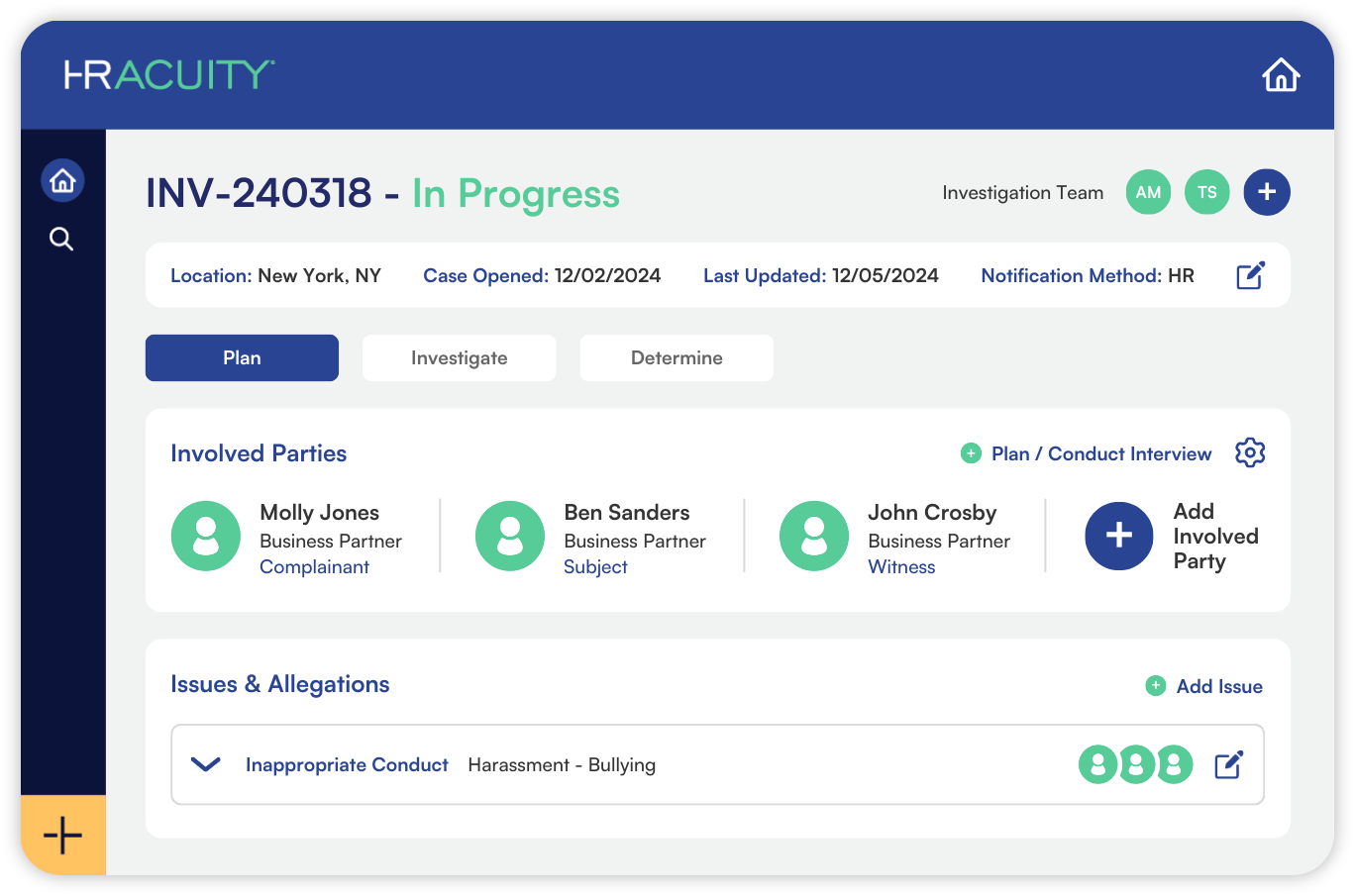
Meet olivER™, HR Acuity’s always-on, AI-powered employee relations companion. Trained on nearly 20 years of ER best practices, experience and workflows, olivER™ helps teams analyze data, access best-practice resources and navigate employee relations confidently. Pre-defined prompts make tackling common challenges faster, easier and more efficient.
AI-Powered Investigation Planning
Turn intake notes into a clear, structured investigation plan instantly, helping investigators move forward with confidence and consistency.
AI-Supported Issue Timeline Generation
Generate a chronological view of case details to quickly identify gaps, inconsistencies and needed follow-ups.
AI-Generated Interview Questions:
Ask smarter, compliant questions with AI-powered suggestions built on embedded ER best practices. Whether your investigators are seasoned or new, HR Acuity elps generate focused interviews that deliver deeper insights, clearer documentation and more defensible outcomes.
AI-Powered Executive Case Summaries:
Generate concise, clear overviews instantly. Keep leaders informed, streamline handoffs and speed up case lookups — all without the AI labeling issues on your behalf.
olivER™ Support:
Get instant answers to product questions using HR Acuity’s complete support library. olivER™ leverages documentation and knowledge base articles to help your team find what they need, fast.
Smarter Case Insights & Benchmarking:
HR Acuity makes data analysis intuitive. Ask olivER questions conversationally, generate instant insights and visualizations, uncover trends and explore outcomes — all with full transparency. AI-powered benchmarking lets you compare performance against peers by size, industry and region, helping you spot trends, identify gaps and act confidently.
AI-Powered Suggested Mapping:
Quickly align issues and actions to standard categories with a single click, unlocking deeper analytics and smarter decision-making.
AI-Powered Writing Assistant:
Streamline intake forms, case notes, findings and conclusions with AI-assisted documentation. Built with ER best practices — including neutralizing gendered pronouns and using initials — it ensures every record is compliant, confidential and consistent.
Inclusive, Global Reporting:
Support a worldwide workforce with AI-powered translations, multilingual hotline intake and SMS reporting with smart prompts. HR Acuity covers 56 countries and 35 languages, giving every employee a voice, anywhere.
Data-Driven Insights:
Robust, customizable dashboards and analytics provide real-time visibility into themes, risks and trends — empowering HR teams to act proactively and strategically before issues escalate.
Hear What HR Acuity Customers Love About its AI Tool for HR
“From insightful and actionable dashboards, to cutting-edge responsible use of AI, HR Acuity is here to change the landscape of ER to bring them to the table as true partners in developing sustainable and responsible work cultures.”
“Not only is HR Acuity the only comprehensive ER solution on the market, they were also one of the first to release a responsible AI solution within their core platform – setting the bar for HR as a whole.”
“HR Acuity has been a lifesaver for our HR investigations.”
“HR Acuity is head and shoulders above the rest!”
“The pre-delivered best practices were presented to enable very simple start configuration or setup. The platform was designed for ER tracking rather than modified to fit.”
“HR Acuity is magical when it comes to convening all our employee relations records. The trend reporting assists us to anticipate systemic problems early enough before they boil up.”
“We love how easy it is to configure and the reporting analytics allow us to share information with leadership to improve our culture and strengthen our workforce.”
“I have had such an exceptional experience with HR Acuity.”
“We need to carefully manage, investigate and address complaints that are received through a number of different systems/teams/offices. HR Acuity helps us maintain that information in one central platform.”
2. Leena AI
Leena AI is an AI-powered HR tool with powerful generative functionality. It offers a virtual HR assistant that can automate tasks including performance management, query resolution and employee onboarding.
Pros:
- Automation: Streamlines routine HR tasks, freeing up time for strategic initiatives.
- Conversational Interface: Provides a user-friendly, chat-based interface for employees to interact with HR services.
- Integration: Easily integrates with existing HR systems to enhance functionality.
Cons:
- Customization: May require time and resources to tailor the platform to specific organizational needs.
- Dependence on AI: Over-reliance on AI for HR tasks may lead to a lack of human touch in sensitive situations.
- Data Privacy: Handling sensitive employee data through AI systems necessitates robust security measures.
3. Lattice
Lattice is an HR software company that supports teams looking to proactively integrates AI into the workplace to support rather than replace human employees. Recently, it introduced AI agents designed to assist HR teams by answering common employee questions and is now expanding their functionality.
Pros:
- AI Agents: Provides AI tools that go beyond basic chatbot roles to become proactive digital assistants.
- Employee Engagement: Detects employee disengagement and simulates difficult conversations to enhance HR interventions.
- Integration: Extends AI capabilities to departments like IT and finance.
Cons:
- Change Management: Implementing AI agents requires careful change management to ensure smooth adoption.
- Resource Intensive: Developing and maintaining AI agents can be resource-intensive for HR teams.
HR Acuity: The Only Purpose-Built AI Platform for HR
HR Acuity is redefining what AI can do for HR and employee relations teams. Combining intelligent automation, context-rich insights and enterprise-grade security, it helps teams work smarter, make consistent decisions and address issues before they escalate.
Designed with HR professionals in mind, HR Acuity’s AI turns complex data into actionable intelligence, streamlines workflows and empowers leaders to act confidently — all while keeping your team in control.
Looking to elevate your HR operations, improve fairness and reduce organizational risk? Explore HR Acuity with a demo and see how AI can transform the way your organization manages employee relations and HR.